

Solar System Troubleshooting: Common Issues and Fixes
Solar System Troubleshooting: Common Issues and Fixes
When an off-grid solar system stops performing as expected, the problem is not always the solar panel. Batteries, charge controllers, wiring, fuses, connected equipment, shading, temperature, and changes in the electrical load can all create symptoms that look similar.
Effective troubleshooting starts by identifying what changed, taking a few basic measurements, and following the power path from the solar array through the battery and controller to the equipment being powered. This guide covers common problems in remote solar systems and practical steps for narrowing down the cause.
Start With the Symptom, Not an Assumption
A system that turns off at night may have insufficient battery capacity, insufficient solar charging, an increased load, a weak battery, or a low-voltage disconnect doing exactly what it was designed to do.
Likewise, a battery that appears low does not automatically mean the battery itself has failed. The solar array may not be charging it correctly, the load may have increased, or a wiring or controller problem may be preventing energy from reaching the battery.
Before changing components, document:
- The product or system model
- What equipment is connected
- Whether the load has recently changed
- Battery voltage
- Solar-panel or array voltage
- Charge-controller status or fault indication
- When the problem occurs
- Recent weather, shading or temperature changes
Follow the Energy Path
A useful diagnostic sequence is: solar array → charge controller → battery → load output → connected equipment. Measuring each stage helps identify where expected energy or voltage disappears.
1. Check the Battery Voltage First
Battery voltage is one of the most useful first measurements because the charge controller may intentionally disconnect the load when battery voltage becomes too low.
Use a suitable digital voltmeter and compare the measured value with the specifications for the battery chemistry, system voltage, and charge controller being used.
If the system contains multiple batteries, individual battery measurements can also reveal imbalance. One battery that measures substantially differently from the others may require further investigation.
Do not assume that a battery showing normal voltage has full usable capacity. A deteriorated battery can sometimes show reasonable open-circuit voltage while providing much less runtime under load.
2. If the System Shuts Down at Night, Check Energy Balance
A system that operates during sunny conditions but shuts down overnight is often consuming more daily energy than the solar array and battery bank can reliably support.
Possible causes include:
- Battery capacity has declined
- The equipment load has increased
- Solar production has decreased seasonally
- New shading is affecting the array
- Panels are dirty or obstructed
- Charging is not operating correctly
- The original system was undersized for the actual load
Tycon® troubleshooting documentation specifically identifies systems that turn off at night and recover in the morning as a reason to recheck the actual equipment load and available solar/battery capacity.
3. Inspect the Solar Array
If the battery is not recovering during daylight, inspect the solar side of the system.
Look for:
- New shading from vegetation or structures
- Dirt, snow, leaves or other obstruction
- Physical panel damage
- Loose or damaged solar connectors
- Damaged outdoor cable
- Loose mounting hardware
- Changes in array orientation
Voltage measurements can help confirm that the array is electrically connected, but the measurement needs to be interpreted correctly. Open-circuit voltage, operating voltage, sunlight level, temperature, array wiring and controller type all affect what should be expected.
A panel producing normal open-circuit voltage can still have a current or connection problem, so voltage alone does not prove that the array is delivering the required energy.
Troubleshoot the Complete Remote Power System
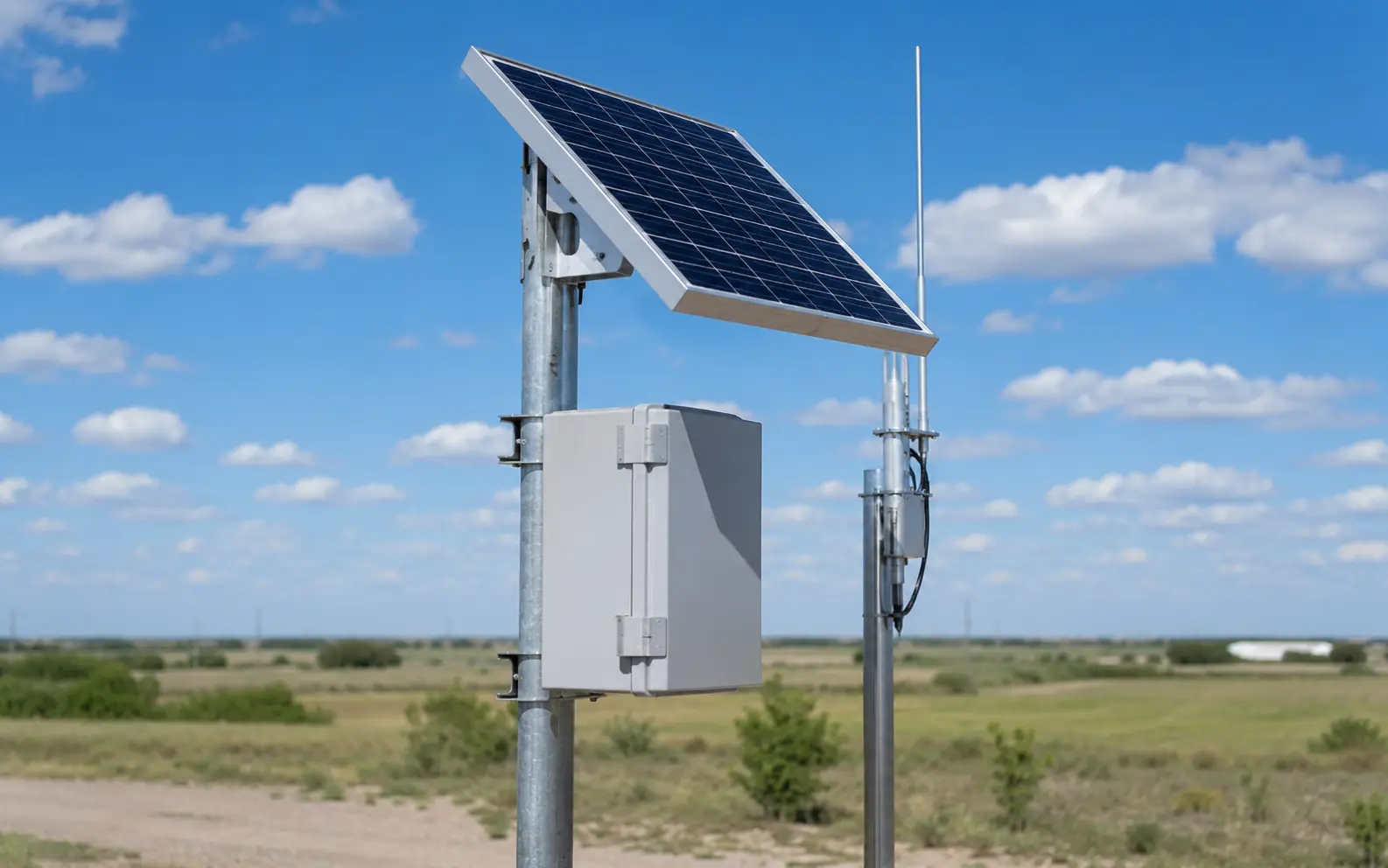
Remote solar installations combine several subsystems. A problem that appears to be a weak solar panel may actually originate in the battery, controller, wiring, fuse, enclosure or connected equipment.
4. Check the Solar Charge Controller
The charge controller manages energy between the solar array and battery and may also control the output feeding the connected equipment.
Check:
- Controller display or indicator LEDs
- Fault or warning codes
- Battery voltage shown by the controller
- PV input voltage
- Charging current when sunlight is available
- Battery chemistry setting
- System voltage setting where applicable
- Load-control settings
- Loose terminals or damaged wiring
Current Tycon Solar® MPPT documentation recommends checking solar-array connections and shading, confirming controller input voltage and wiring, checking battery condition, and reviewing communication connections when applicable.
Do not open or attempt internal repairs on a controller that contains no user-serviceable components. Follow the product manual and contact technical support when an internal fault is suspected.
5. Check Why the Controller Has Turned the Load Off
A controller with no load output is not necessarily defective.
Many solar controllers intentionally disconnect the load after battery voltage falls below a configured threshold. This protects the battery from excessive discharge.
If the load output returns after the battery charges again, investigate why the battery became depleted rather than immediately replacing the controller.
Exact low-voltage disconnect and reconnect thresholds vary by controller and system configuration, so use the manual for the specific product rather than relying on one universal voltage.
Low-Voltage Disconnect Can Look Like Equipment Failure
If the battery falls below the controller's low-voltage threshold, the controller may intentionally shut the load down. The correct troubleshooting question is then: Why did battery voltage become too low?
6. Check Fuses, Breakers and Connections
A failed fuse, loose terminal or damaged cable can completely interrupt power even when the panel, controller and battery are all functioning correctly.
Inspect the appropriate protection and connections for:
- Blown fuses
- Tripped breakers
- Loose battery terminals
- Corrosion
- Heat discoloration
- Damaged insulation
- Loose solar connectors
- Damaged cable glands or feedthroughs
Replace fuses only with the type and rating specified for the equipment. A larger fuse is not a repair for a circuit that repeatedly blows the correct fuse.
7. Confirm the Equipment Load Has Not Changed
One of the easiest problems to overlook is load growth.
A system may have operated reliably for years and then begin shutting down after a camera, cellular router, access point, heater, illuminator, PoE switch or other device is added or replaced.
Recalculate the load whenever:
- Equipment is added
- A device is replaced with a higher-power model
- Operating hours change
- A heater or IR illuminator begins operating seasonally
- Network equipment is added
- The site's power behavior changes without an obvious hardware failure
The Tycon Systems® power and solar calculators can help compare the current load with the solar and battery capacity available at the site.
8. Consider Seasonal Solar Changes
A system that works well in summer may become energy-limited in winter even though none of the hardware has failed.
Seasonal changes can affect:
- Peak Sun Hours
- Sun angle
- Shading
- Snow accumulation
- Battery performance
- Equipment heating or other seasonal loads
If a system fails at approximately the same time each winter, investigate seasonal energy balance before assuming an electrical component is defective.
9. Battery Problems Can Develop Gradually
Batteries generally lose usable performance over time rather than changing instantly from good to failed.
Warning signs can include:
- Shorter nighttime runtime
- Battery voltage falling rapidly under load
- One battery measuring differently from others in the bank
- Failure to hold charge
- Abnormal swelling, leakage or physical damage
- Unexpected low-voltage disconnects
Battery troubleshooting depends on chemistry. Procedures appropriate for one battery type may be inappropriate for another.
Browse Tycon Solar® batteries when an existing battery bank has reached the point where replacement should be considered.
10. Do Not Automatically Equalize Batteries
Battery equalization is sometimes recommended in generic solar troubleshooting guides, but it is not appropriate for every battery chemistry.
Sealed AGM, GEL, lithium and flooded lead-acid batteries have different charging requirements. Use the settings and maintenance procedures specified for the actual battery installed.
Do not apply a flooded-battery maintenance procedure to a sealed or lithium battery simply because both are part of a solar system.
11. What About an Inverter?
Not every remote solar system contains an inverter. Many Tycon® applications power DC and PoE equipment directly from the battery-based system.
If an inverter is part of the installation, check its input voltage, output requirements, load rating, fault indicators, wiring and product documentation separately.
An inverter fault should not automatically be treated as a solar-panel or charge-controller problem.
System Is Not Powering the Load — What Should I Check?
1. Measure battery voltage.
2. Check whether the controller has intentionally disabled its load output.
3. Confirm solar input and charging status during daylight.
4. Check fuses, breakers, terminals and wiring.
5. Verify the connected equipment load.
6. Compare the findings with the manual for the exact controller or system model.
When Remote Monitoring Helps
Monitoring can make troubleshooting faster when the site is difficult to reach, but RemotePro® itself should not be described as a universal remote-monitoring service.
Depending on the installed hardware, useful remote measurements may include voltage, current, temperature, equipment status and historical operating information.
Tycon® TPDIN® monitoring and control products provide options for remote voltage, current, temperature and equipment monitoring in compatible installations.
When the System Is Simply Too Small
Troubleshooting sometimes confirms that every component is operating normally—the system simply cannot generate or store enough energy for the current load.
In that situation, the correct fix may involve reducing the load, adding solar capacity, increasing battery storage, changing the operating schedule, or redesigning the system.
RemotePro® off-grid solar power systems provide complete configurations for cameras, wireless equipment, sensors, telemetry and other remote electronics when a new or larger system is required.
A Few Measurements Can Save a Lot of Troubleshooting Time
Have the system model, battery voltage, solar voltage, controller status, connected load, and a description of what changed ready when contacting technical support.
Photos of the controller, wiring and enclosure can also be useful when the issue cannot be diagnosed from measurements alone.
Use Tycon® Support Resources
If basic troubleshooting does not identify the problem, use the documentation and support resources for the specific product rather than continuing to change settings or components experimentally.
The Tycon Systems® Support Portal provides access to the Knowledge Base, calculators, firmware, documentation, support requests and system-design resources.
Visit the Tycon Systems® Support Portal →
Solar System Troubleshooting FAQs
Why does my solar system turn off at night?
The battery may be reaching the charge controller's low-voltage disconnect threshold. Check battery condition, actual equipment load, solar charging performance and whether the system has enough generation and storage for nighttime operation.
Why is there no output from my solar charge controller?
One common reason is low battery voltage. Many controllers intentionally disable their load output to protect the battery from excessive discharge. Also check controller settings, fault indicators, fuses and wiring.
Why is my battery not charging from solar?
Check solar-array connections, shading, PV voltage, controller status, battery voltage, controller settings and wiring. A problem anywhere between the panel and battery can interrupt charging.
Does normal solar-panel voltage mean the panel is good?
Not necessarily. Open-circuit voltage confirms only part of panel operation. Available current, sunlight, temperature, wiring and operating conditions also affect actual power production.
How do I know if my solar battery is failing?
Common signs include reduced runtime, rapid voltage drop under load, difficulty holding charge, abnormal physical condition or one battery measuring differently from others in a bank. Battery testing should follow the requirements of the installed chemistry.
Should I update charge-controller firmware?
Only when the specific controller supports firmware updates and Tycon Systems® or the manufacturer provides an applicable approved update. Firmware changes should not be treated as a generic first troubleshooting step.
Can RemotePro® troubleshoot my system remotely?
RemotePro® is an off-grid solar power system family, not a universal remote-diagnostics service. Some Tycon® configurations can include monitoring hardware that provides system measurements remotely.
When should I contact Tycon Systems® support?
Contact support when normal voltage, wiring, fuse, load and controller checks do not identify the issue, when a controller reports an unfamiliar fault, when an internal component may be damaged, or when you need help determining whether the system is correctly sized.
Bring the Measurements, and We Can Help Narrow It Down
Have the product model, battery voltage, solar input, controller status, equipment load and details about what changed ready. Tycon Systems® support can help determine whether the issue is configuration, battery condition, charging, wiring, load or system sizing.
Submit a Support Request → Search the Knowledge Base